Cross-platform note-taking app for Mac, Windows, and Linux
Myelin Notes: handwriting, typing, and PDFs. One note.
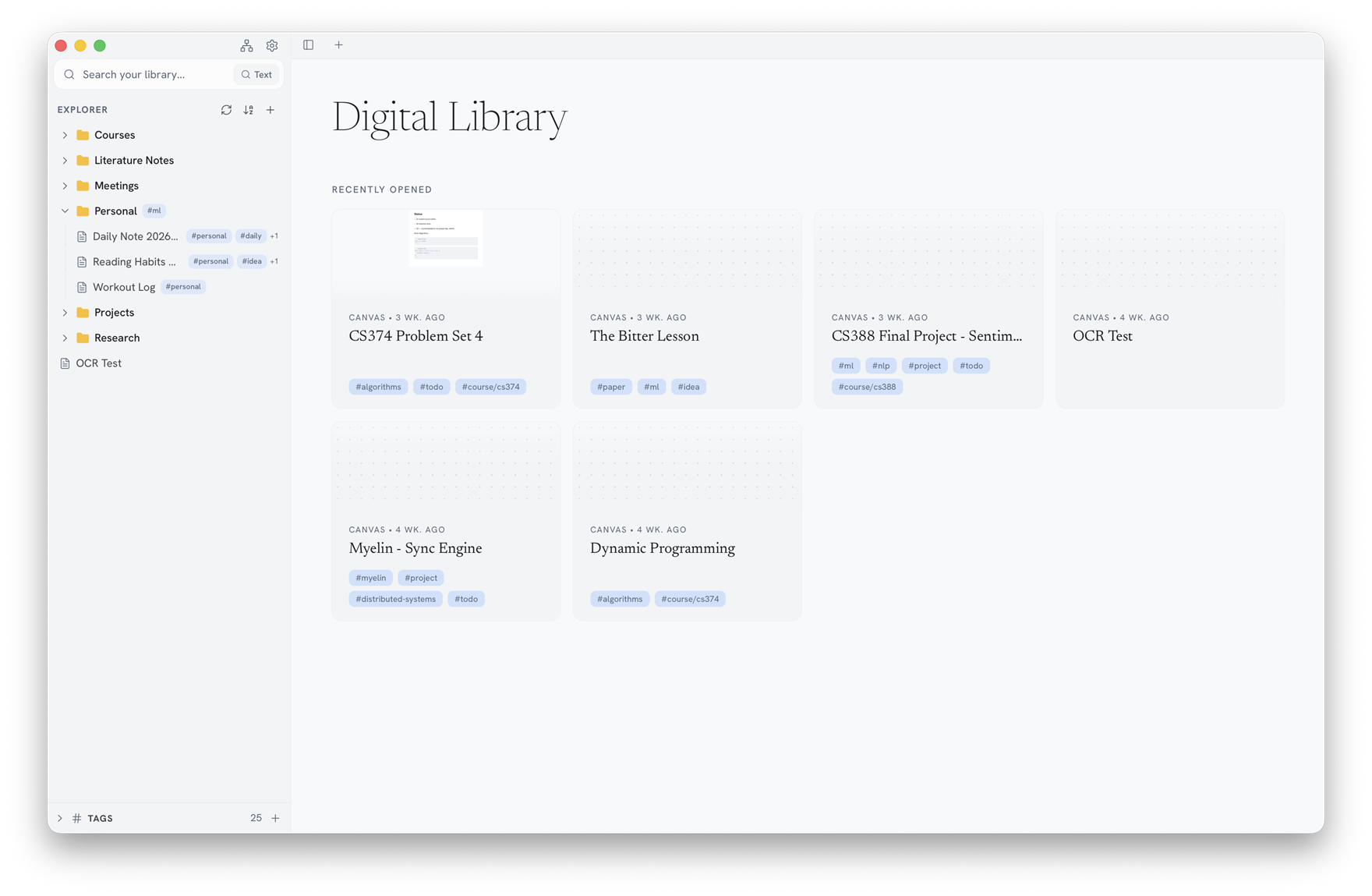
Myelin Notes is a cross-platform note-taking app for Mac, Windows, and Linux. Combine handwriting, typed notes, and PDFs on one canvas. Works offline and is free for personal use.
Completely free for personal use · No account required · Your notes are never paywalled
01 / PDFs
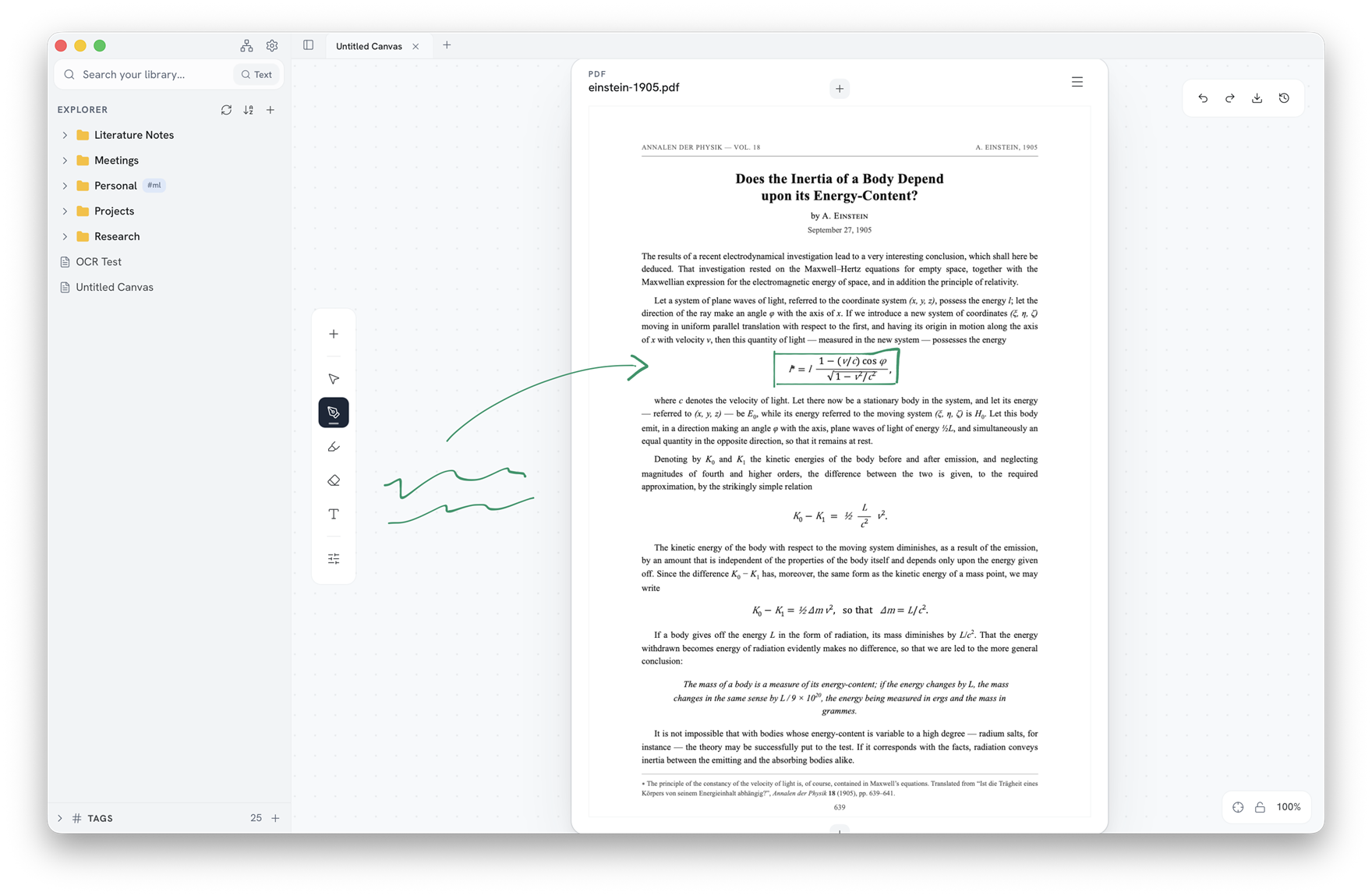
Write directly on your PDFs.
Drop a PDF onto the canvas and mark it up in the same ink as everything else: circle an equation, highlight a line, scribble in the margins. When you are done, export the annotated PDF back out.
02 / Pages
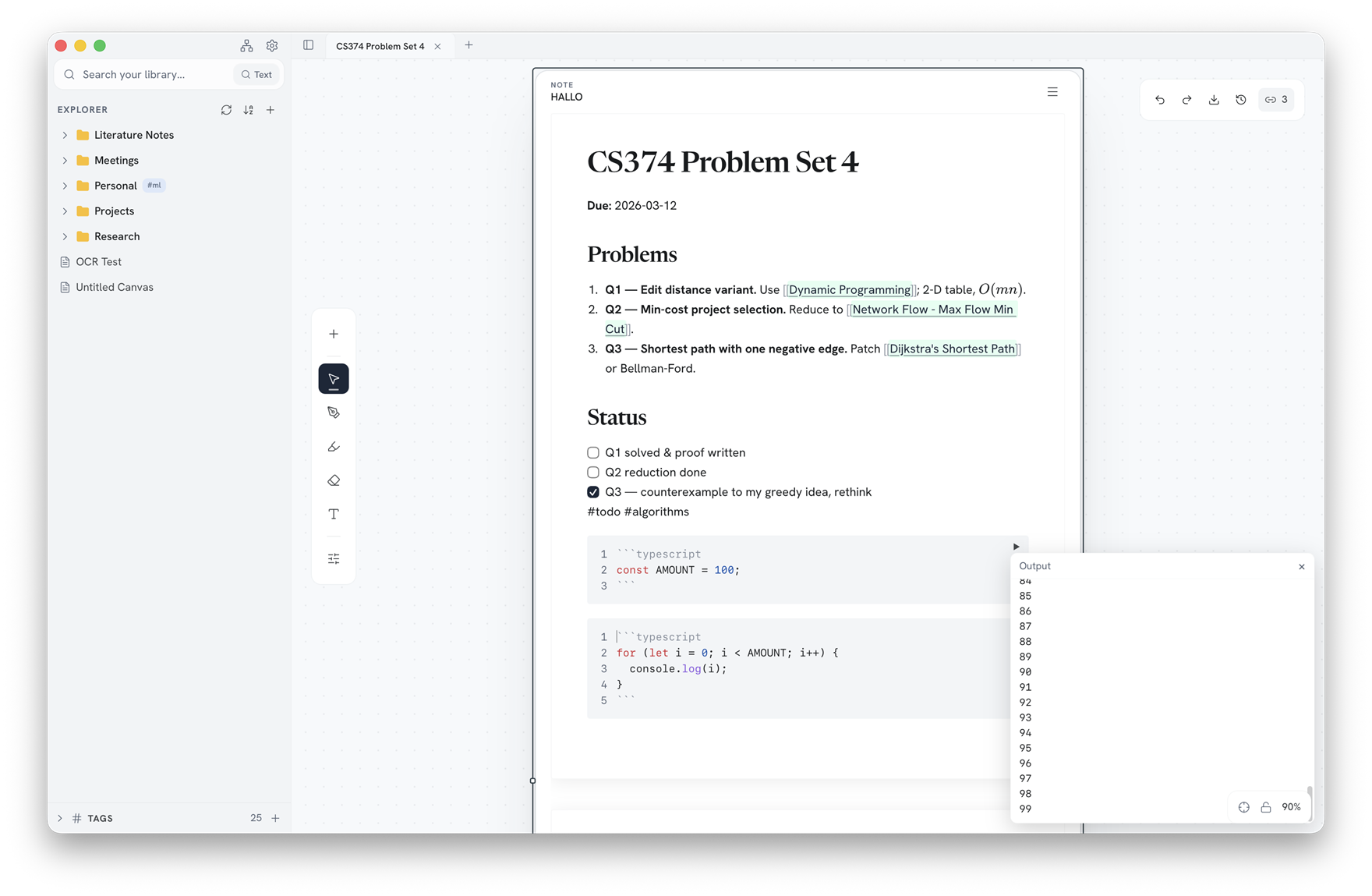
Real documents, right on the canvas.
Page frames are full rich-text documents: Markdown shortcuts, headings, lists and checkboxes, tables, math, and code blocks you can run.
03 / Audio & search
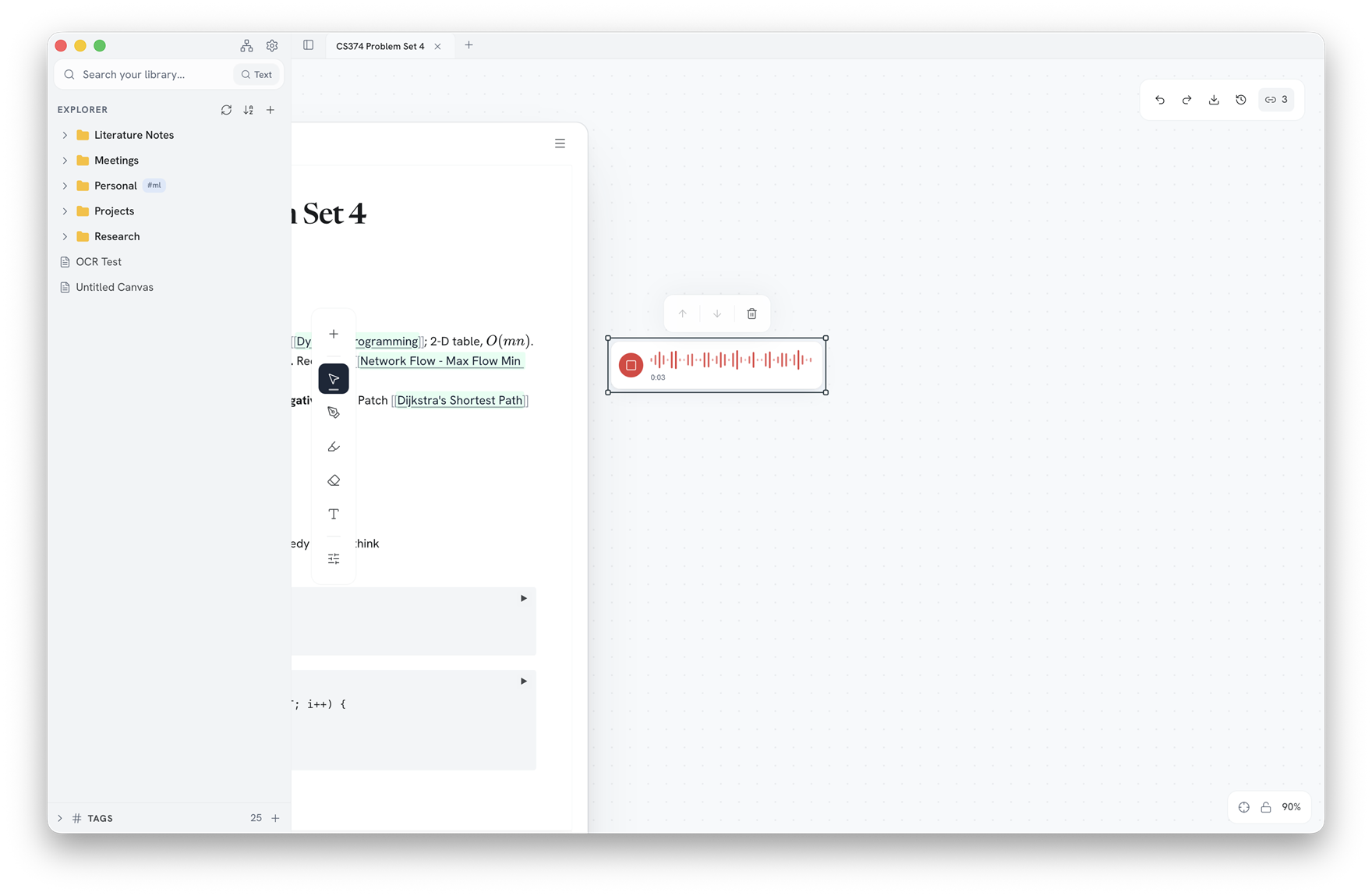
Record it. Transcribe it. Find it on the canvas.
Record lectures or meetings on the canvas. A bundled Whisper base model transcribes them on-device, so you can find words in the transcript without sending audio away.
Search your library by note title, tags, and saved text or audio transcripts. Find matches within an open canvas, too.
04 / Linked notes
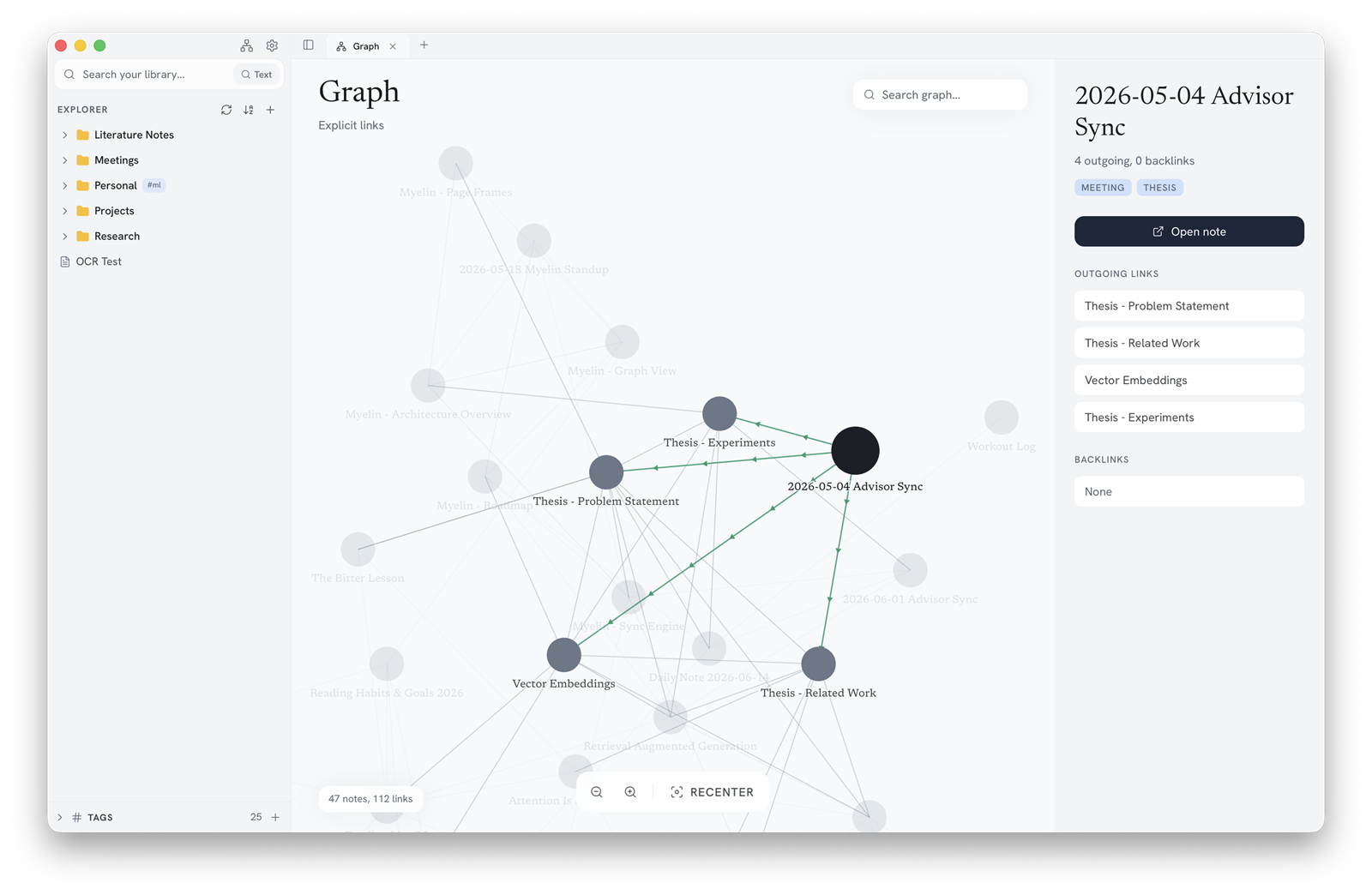
Your notes, connected.
[[Note links]], backlinks, and hover preview cards keep related ideas one hop away. The command palette jumps you anywhere, and per-file version history restores any earlier state of a note.
05 / Sync & collab
Sync and collaborate, no server in the middle.
Real-time editing normally means a server holding your notes. Myelin connects the devices directly instead.
Live collaboration
Two devices with the same note open find each other automatically, then edit in step over an encrypted QUIC connection straight between them (iroh).
GitHub sync
Point Myelin at a repo and branch, and your workspace syncs across devices through a repo you control.
Invites
Bring someone into a single note without handing over the whole repo, with owner, editor, and viewer roles deciding what they can do.
06 / Local-first
It all lives on your machine.
No cloud in the middle. Your notes are ordinary files on your own disk, and Myelin works completely offline.
- Your notes are plain files on your disk, in an open, conflict-free format (Yjs). Nothing is ever locked in.
- Everything works fully offline, with no account and no server in the middle.
- Your notes stay on your own machine.
- Bring your own AI: models connect through a local MCP server, never a cloud we chose for you.
- Import from Obsidian or GoodNotes, export to PDF, images, or JSON, and read every line of source on GitHub.
07 / Import
Bring your old notes with you.
Import your notes from other apps
Import from Goodnotes
Import your Goodnotes content by exporting it as a zip of PDFs.

Import from OneNote
Import your OneNote content from a .onepkg notebook or .one section.
Import from Obsidian
Import your Obsidian content with the vault folder.
Import from Notion
Import your Notion content by exporting it as Markdown and CSV.
08 / Questions
FAQ
- Is it really free?
- Yes, completely free for personal use.
- Where are my notes stored?
- Locally, as files on your machine. Optional GitHub sync if you want them in a repo you control.
- Do I need an account?
- No. Myelin Notes has no account system at all: you download it, open it, and your notes are on your disk. You sign in with GitHub only if you turn on GitHub sync, and that is your account with GitHub, not one with us.
- Is it open source?
- Not quite. The source is public, so anyone can read it and check what the app does with their notes, and it is free to use for personal and other noncommercial purposes. It is licensed under PolyForm Strict 1.0.0, which means you cannot redistribute it or publish modified versions, and commercial use needs a separate license.
- Can I collaborate with others?
- Yes, live and peer to peer, today. There is no Myelin account and nothing sitting in the middle. Devices find each other through GitHub sync, so both ends need access to the same repo. Shared notebooks with permissions arrive in v1.0.
- Can I import from another app?
- Yes. Myelin imports an Obsidian vault, a OneNote .onepkg notebook or .one section, a Goodnotes folder exported as PDFs, loose Markdown, PDFs, images, and video, and a workspace folder exported from Myelin itself. Notion comes across through its own Markdown and CSV export, which the file importer reads; a dedicated Notion importer that keeps the page hierarchy is on the roadmap.
- Does it work offline?
- Fully. Editing, audio transcription, PDF annotation, and export all run on your own machine, so the app behaves identically with the network off. Only GitHub sync and live collaboration need a connection, and both are optional.
- What about iPhone, iPad, and Android?
- Coming soon. Today Myelin Notes runs on Mac, Windows, and Linux. The mobile apps are in development, and they are native builds rather than a cut-down viewer: the same notes, the same canvas, and the same sync as the desktop apps, with Apple Pencil on iPad and an S Pen or active stylus on Android.
09 / Download
Download
Available in English, Spanish, French, and Simplified Chinese.
Download Myelin NotesComing soon
iPhone, iPad, and Android are on the way: the same notes, not a cut-down viewer